Portfolio performance analysis tools measure what your investments earned, how much risk you took and which decisions contributed to the result. They should separate market gains from deposits, include investment income and make comparisons on a consistent basis. A larger account balance does not, by itself, mean your portfolio performed well.
The distinction from portfolio tracking software is practical: tracking tells you what you own and what it is worth; performance analysis helps explain how it got there. When choosing software, prioritize transparent calculations and reliable records over the number of charts on the screen.
Separate Investment Returns From Account Growth
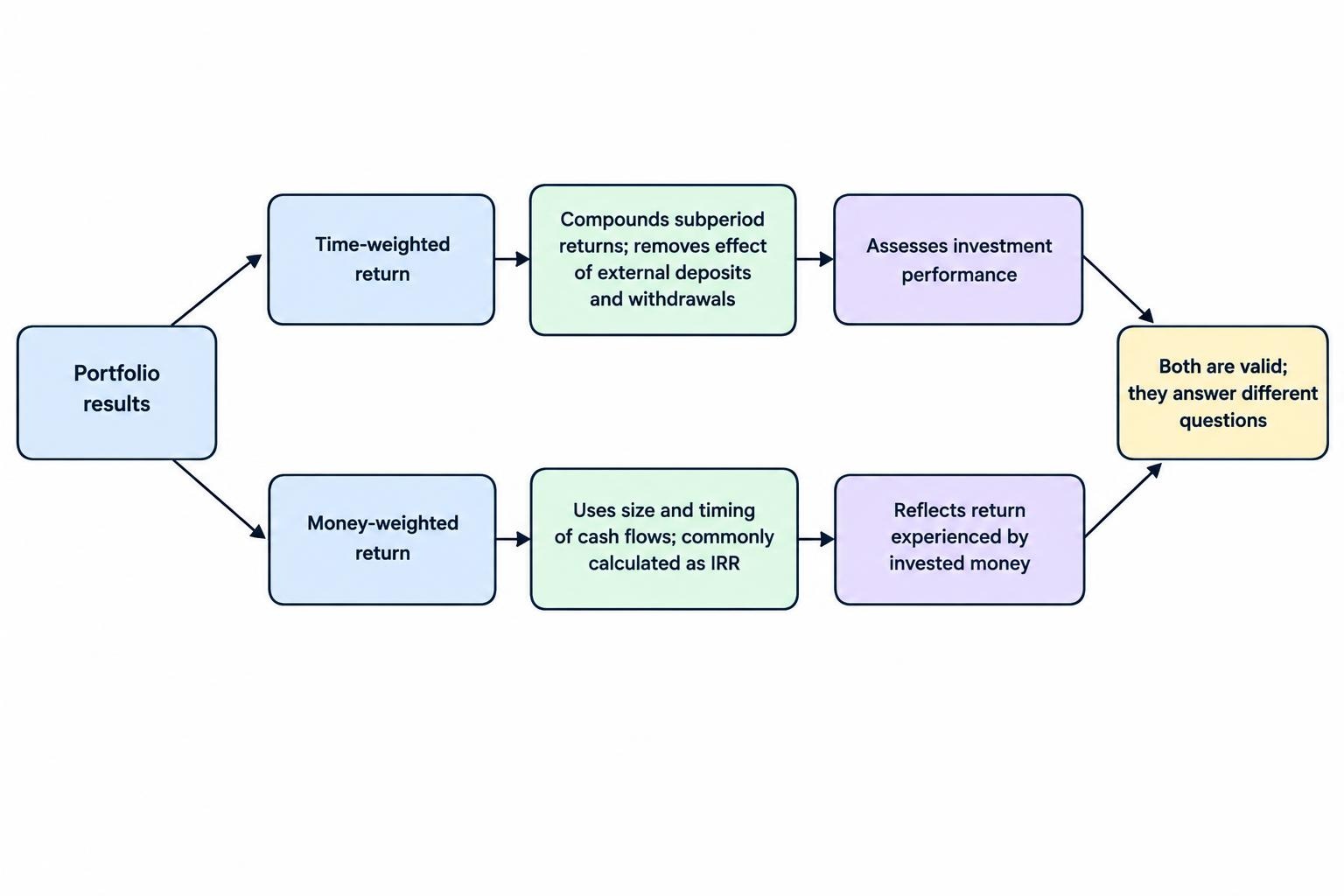
A useful performance tool should distinguish between two return measures. Neither replaces the other, because they answer different questions.
Time-weighted return removes the effect of external deposits and withdrawals by calculating returns across subperiods and compounding them. It helps assess investment performance without rewarding or penalizing the strategy for when you added money.
Money-weighted return reflects the size and timing of those cash flows. It measures the return experienced by your invested money, commonly through an internal rate of return calculation. These distinctions are covered in the GIPS Standards Handbook’s return calculation methodology.
Use time-weighted returns when comparing your investment strategy with a suitable market benchmark. Use money-weighted returns when assessing your own investing experience, including the effect of contributions and withdrawals. Check whether the software presents each figure as a cumulative return or an annualized rate.
Why Both Measures Matter
Consider a hypothetical portfolio that starts with $10,000 and rises 10% to $11,000. You then deposit $90,000, bringing its value to $101,000. The portfolio subsequently falls 10%, finishing at $90,900. Assume no fees, taxes or withdrawals.
The time-weighted return is negative 1%: multiplying 1.10 by 0.90 gives 0.99. Yet you contributed $100,000 and finished with $90,900, an investment loss of $9,100. More money was exposed during the losing period.
Both results are valid. The dollar loss describes what happened to your capital; the time-weighted result describes the compounded investment performance. A tool that displays only one headline percentage leaves part of that story out.
Look for Reports That Answer Useful Questions
A performance dashboard should help you investigate results, not simply decorate them. Start with a small set of reports that connect returns to their causes.
| Report or metric | What it tells you | What to check |
|---|---|---|
| Total return | Performance including price changes and investment income | Whether income, fees and taxes are included |
| Annualized return | The equivalent compounded yearly growth rate | The measurement period and return method |
| Maximum drawdown | The largest peak-to-trough decline during the period | Whether deposits and withdrawals distort the series |
| Return contribution | How much each holding or group added to portfolio performance | Whether sold holdings and changing weights are included |
| Benchmark comparison | Performance relative to a chosen reference | Matching dates, currency and income treatment |
Contribution analysis is particularly useful when percentage gains distract from dollar exposure. In a simple period without trading, a holding with a 2% portfolio weight that gains 50% contributes about one percentage point. A holding with a 40% weight that gains 5% contributes about two percentage points. The less dramatic investment did more work.
Keep contribution separate from attribution. Contribution identifies what added to returns. Benchmark attribution attempts to explain relative performance through decisions such as asset allocation and security selection. If software advertises attribution, check what it actually calculates rather than accepting a colorful breakdown as proof.
Read Risk Alongside Returns
Compare returns with drawdown, recovery time and volatility over the same period. Volatility describes variability, while drawdown shows the depth of a decline. Neither captures every risk, but together they give a more useful picture than a return figure alone.
For drawdown analysis, prefer a return series adjusted for external cash flows. A withdrawal should not appear as a market loss, and a deposit should not make a portfolio appear to have recovered. Ask whether the tool measures drawdowns from account balances or from a performance index.
Choose a Benchmark That Matches the Portfolio
A benchmark should reflect the portfolio’s intended investments, not whichever index makes the results look strongest. A portfolio holding stocks, bonds and cash needs a different comparison from an all-equity strategy. Comparing unlike investments can mislead, particularly when their risks differ; the SEC investor bulletin on performance claims addresses benchmark selection and presentation.
Check the benchmark’s currency, reporting dates and dividend treatment. Comparing a portfolio’s total return with a price-only index gives the portfolio credit for income that the index comparison excludes. Also distinguish an index from an investable fund: a fund introduces its own costs and tracking differences.
For a blended benchmark, record the component weights and rebalancing schedule. A reference portfolio that resets to 60% stocks and 40% bonds each month will not necessarily match one that lets those weights drift.
Keep the comparison consistent through good and bad periods. Changing benchmarks after disappointing results makes the report easier to like and harder to use.
Check Income, Fees and Currency Treatment
Dividends Should Enter the Calculation Once
Total return includes investment income, whether you reinvest it or retain it as portfolio cash. A reinvested dividend should appear as income followed by a purchase, not as a fresh contribution from you. Counting it as new capital changes the cash-flow record and can distort performance.
Inspect how the tool handles withholding, cash distributions and reinvestment transactions. For payment schedules and income forecasting, use dividend tracking software; the performance report has a different job. It must show how that income affected the return earned during the reporting period.
Net Returns Need Clear Cost Coverage
Check which costs the reported return includes: trading charges, account fees, advisory fees and other recorded expenses. Fund operating expenses are deducted from fund assets, so avoid subtracting them again from returns already based on fund prices. The SEC bulletin on investment fees and expenses distinguishes direct charges from these indirect fund costs.
Do not assume that “after tax” means a complete calculation of your eventual tax liability. Ask which recorded taxes the report deducts and which assumptions it uses. Performance reporting and tax reporting serve different purposes.
Foreign Currency Can Change the Result
For overseas holdings, request both local-currency returns and returns in your portfolio’s reporting currency. A rising share price can coincide with a weaker result after currency conversion. Check that historical transactions use the relevant historical exchange rates rather than today’s rate applied retrospectively.
Which Type of Performance Analysis Tool Fits?
Choose the reporting approach around the questions you need answered and the records you can maintain. More automation is useful only when it preserves the detail needed for accurate calculations.
Desktop Analysis: Portfolio Performance
Portfolio Performance is one option for investors who want to inspect their records and calculations. Its performance dashboard includes internal rate of return, cumulative true time-weighted return and calculation components such as income, fees and taxes. The Portfolio Performance dashboard documentation shows how these figures relate to the reporting period.
When evaluating this approach, test your own transaction formats and difficult holdings. Being able to review the ledger is valuable, but you still need a process for correcting imports, maintaining prices and preserving backups. Detailed software does not remove the need for detailed records.
Spreadsheets for Independent Checks
A spreadsheet can provide a useful second calculation, especially for a portfolio with straightforward external cash flows. Excel’s XIRR function for irregularly dated cash flows calculates an internal rate of return using amounts and dates rather than assuming equally spaced payments.
For a whole-portfolio check, record the opening value and subsequent contributions as negative amounts from your perspective. Record withdrawals and the ending portfolio value as positive amounts. Include their dates. Purchases and sales that remain inside the measured portfolio are not external cash flows.
This does not produce a time-weighted return or replace a transaction ledger. It provides an independent money-weighted check. Keep the spreadsheet simple enough to audit; a workbook nobody can explain is just another black box.
Broker Reports and Connected Applications
Before paying for another service, examine the performance reports already available with your accounts. Ask whether they cover all relevant accounts, include closed positions and preserve history after transfers.
For a connected application, test whether it imports transactions or only current balances. A consolidated holdings screen may be useful without containing enough history for meaningful performance analysis. Compare export access, correction controls and reporting depth rather than choosing on account connectivity alone.
Audit the Data Before Trusting the Percentage
Start by reconciling security quantities, cash balances and dated transactions against your statements. Matching the latest account value is necessary, but it does not prove the historical return is correct. Missing transactions can offset one another while leaving the performance calculation wrong.
Check transfers carefully. Moving assets between two accounts inside the same consolidated portfolio should not become a new contribution or withdrawal at the combined level. Measuring either account separately creates a different boundary, so its cash-flow treatment can differ.
Review stock splits, mergers, ticker changes and reinvestments. Preserve sold positions in historical reports rather than calculating past results from today’s holdings alone. Otherwise, the report risks forgetting investments that no longer appear in the account.
Connection setup deserves its own checks, including import coverage and duplicate handling. The guide to connecting investing software to brokerage accounts covers that workflow. For performance analysis, the test is whether the imported record supports a return you can reproduce.
Run a Small Trial Before Committing
Use a representative account or sample period rather than importing everything immediately. Choose a period containing a contribution, a dividend, a sale and, where relevant, a transfer or foreign-currency transaction. That will reveal more than a clean account containing one recent purchase.
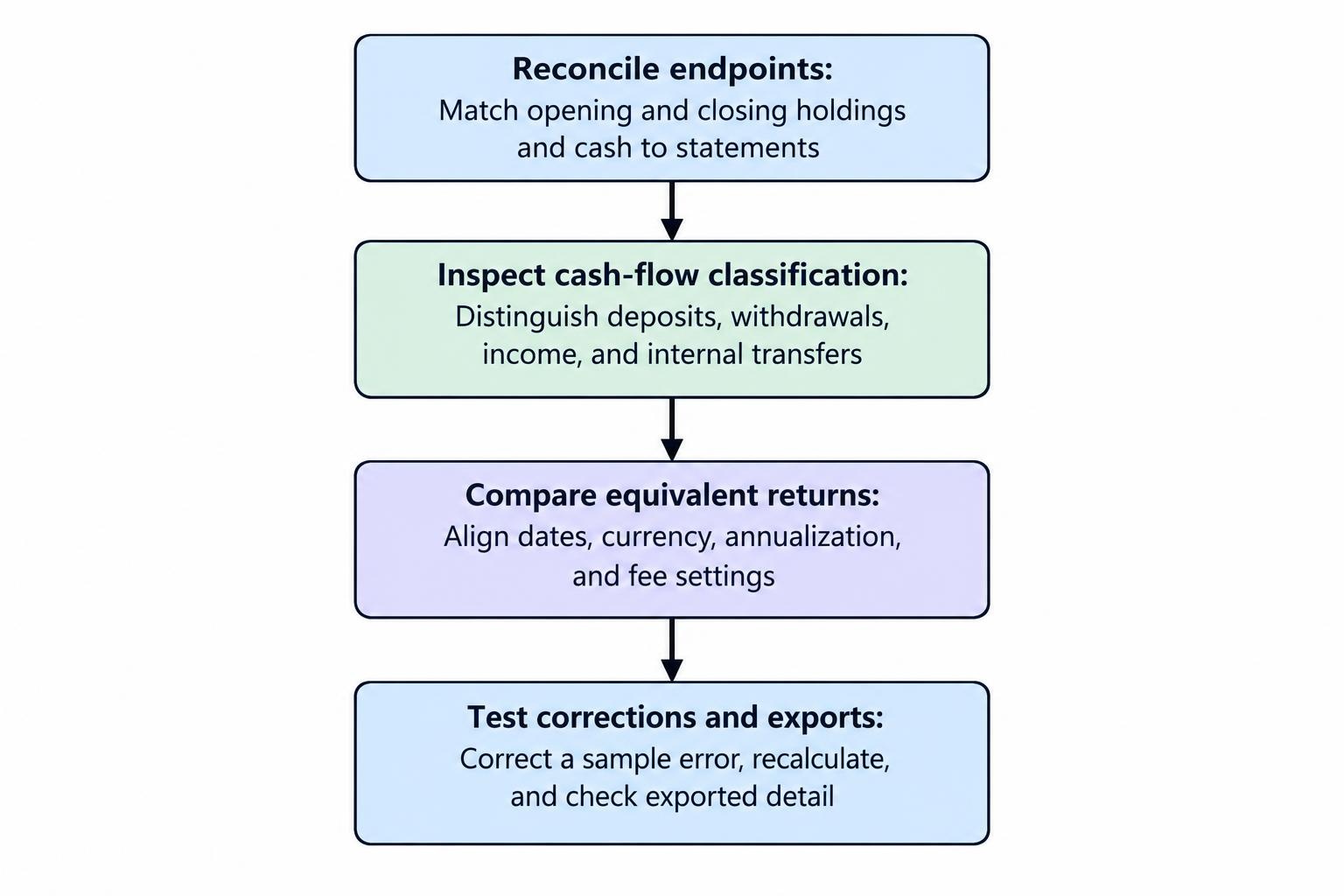
- Reconcile the endpoints. Match opening and closing holdings and cash to your statements.
- Inspect cash-flow classification. Confirm that deposits, withdrawals, income and internal transfers receive different treatment.
- Compare equivalent returns. Align dates, currency, annualization and fee settings before comparing two tools.
- Test corrections and exports. Fix a deliberate sample error, recalculate the report and export enough detail to check the result elsewhere.
Also check the history included in the price and whether detailed reports require a higher subscription tier. Evaluate the cost of the reporting features you will actually use, including the time needed to maintain accurate data.
Use a Repeatable Performance Review
Set a review schedule suited to the portfolio rather than treating every market movement as a reporting event. A monthly data reconciliation and quarterly performance review can provide a workable starting routine.
Keep the reporting period, benchmark and calculation settings stable. Review total return, money-weighted return, drawdown and contribution together. If performance reflects a change in portfolio weights, use asset allocation tools to examine that change separately rather than expecting the return report to make the allocation decision.
The strongest selection test is straightforward: can you explain the result? Choose a tool that lets you trace the headline percentage back to valuations, cash flows, income and costs. A report worth keeping should make your decisions easier to examine, not just your portfolio easier to admire.