Trading strategy backtesting software applies trading rules to historical data and calculates the trades, costs and portfolio changes those rules would have produced. Its value lies in showing whether an idea deserves further investigation, not in producing the most attractive return chart.
The right tool depends on what you trade, how orders work and how much control you need over the simulation. A daily stock rotation system needs different testing capabilities from an intraday strategy with resting limit orders. For projects that will progress into automated trading software, the backtester should also make its assumptions easy to inspect and reproduce.
What Backtesting Software Needs to Reproduce
A useful backtest connects four things: information available at the time, trading decisions, simulated execution and account balances. If any connection is wrong, the final performance figures can be misleading even when the calculations are mathematically correct.
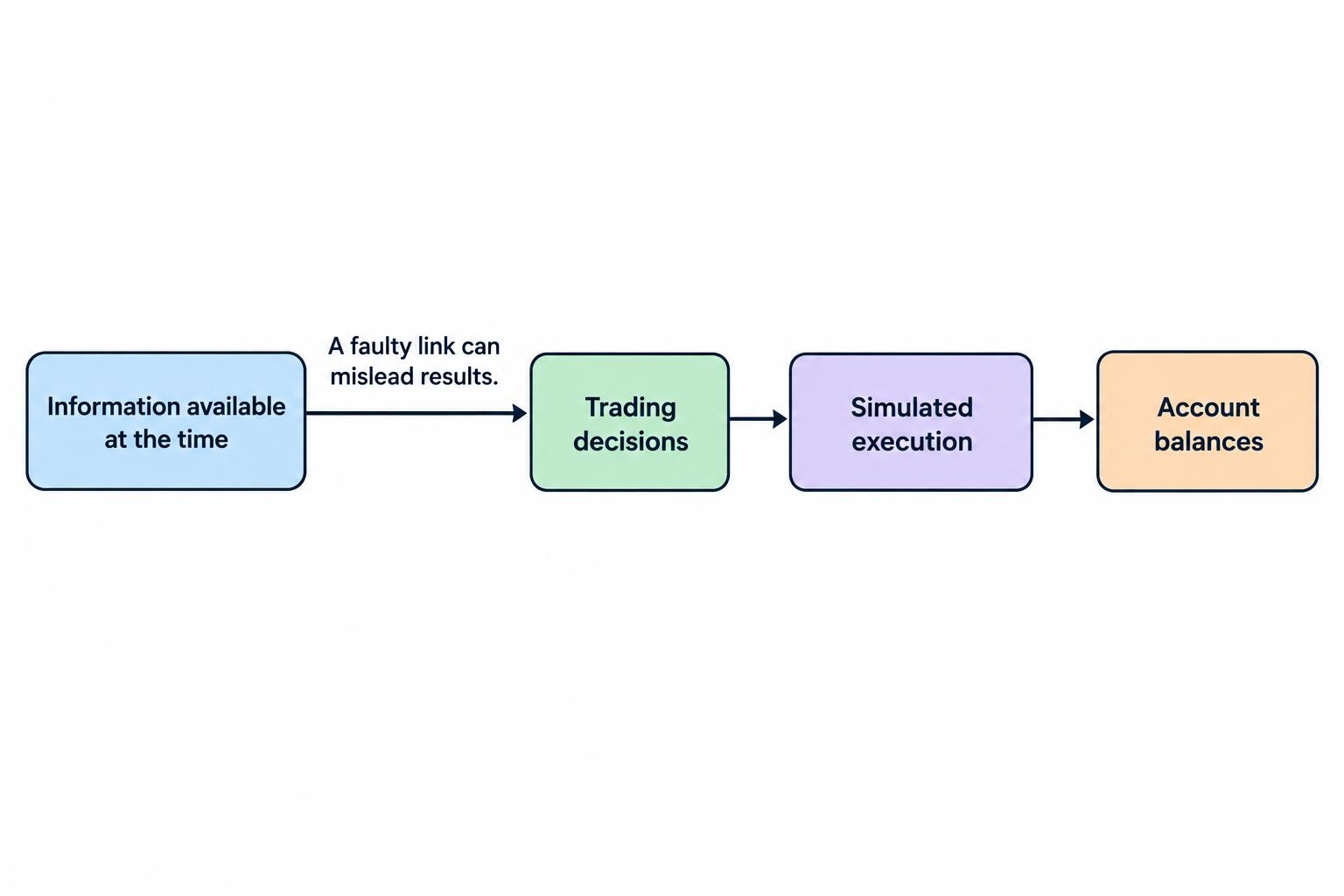
Consider a strategy that buys after a daily closing price crosses above a moving average. The software must distinguish between observing that closing price and executing an order. Buying at the same close without a workable execution process can give the strategy a price it could not actually obtain.
Data handling matters just as much. Check how the system treats missing observations, stock splits, dividends, time zones and securities that stopped trading. A stock selection strategy also needs a defensible historical universe, rather than a convenient list of companies that survive today. These checks belong in the evaluation process; the broader methods are covered in historical data quality and backtesting bias.
Before comparing software, write down the strategy’s timing, instruments, order types, position sizing and account constraints. That short specification gives you something concrete to test against.
Match the Testing Engine to the Strategy
Two broad approaches are worth distinguishing. Vectorized research works with arrays of prices, signals and parameters. Event driven simulation processes market updates and account events in sequence. Some packages combine aspects of both, so the label alone should not decide the purchase.
For a simple daily signal, prioritize transparent calculations and convenient comparisons across instruments. For strategies involving pending orders, partial executions or several competing positions, inspect how the engine tracks order state and available capital.
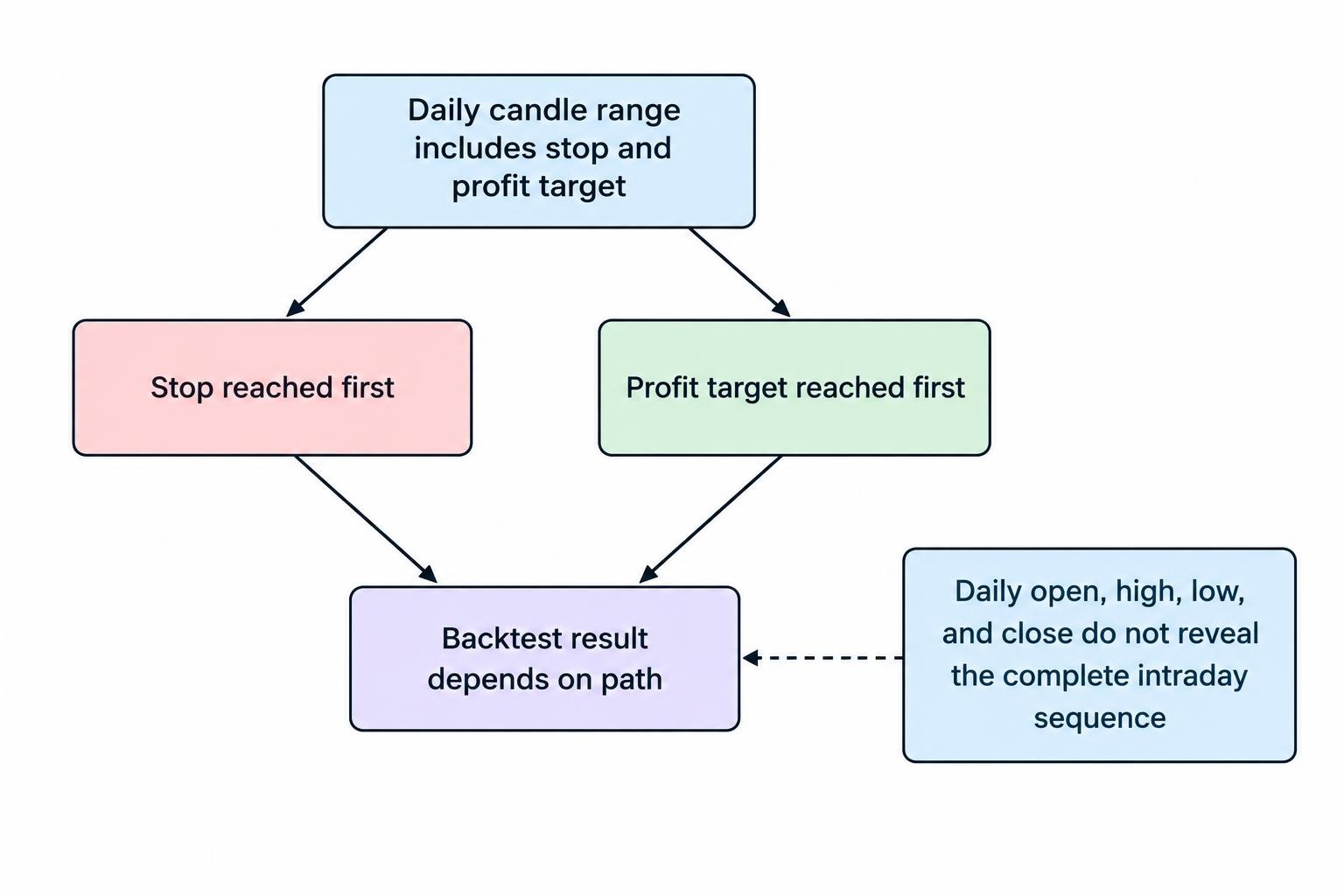
Data resolution creates another boundary. A daily candle records the open, high, low and close, but not the complete path between them. If both a stop and a profit target fall within that candle’s range, the engine needs additional data or an explicit assumption about which occurred first. Ask to see that assumption before trusting the trade.
Backtesting Software Options for Different Workflows
The following tools represent different approaches to strategy research. Treat them as candidates for an evaluation, not a ranking based on hypothetical profits.
TradingView: Chart Based Strategy Inspection
TradingView suits an evaluation where seeing signals and simulated trades on a chart is a priority. Pine Script strategies use a broker emulator, with performance results available in a strategy report. The TradingView strategy documentation details how historical orders are filled and how the emulator infers price movement within bars.
Inspect those settings closely for strategies that enter and exit within the same candle. Lower timeframe data can improve historical detail where available, but it does not turn a simulation into an execution record. Use standard price charts for the initial comparison and check every adjustment that changes when the strategy calculates or fills orders.
vectorbt: Array Based Python Research
vectorbt is a candidate for Python research built around signal arrays and parameter comparisons. Its portfolio tools support simulations from orders, signals or custom order functions, alongside transaction costs, order records and performance analysis. The vectorbt portfolio API documentation sets out these simulation modes and their inputs.
Evaluate it with a small, manually checked example before expanding the research. Array alignment, execution prices and the timing of signals deserve particular attention. A compact calculation can still contain a timing mistake. Also check whether the required capability belongs to the documented package you intend to use rather than assuming that every feature shown across related editions is included.
QuantConnect LEAN: Configurable Simulation Models
QuantConnect’s LEAN engine is worth evaluating when the research requires control over execution and account assumptions. Its reality modeling documentation covers configurable models for fills, fees, slippage, buying power, settlement and other account behavior.
This makes the model configuration part of the strategy specification. Review the behavior selected for each instrument rather than assuming that the default represents your intended trading conditions. The documentation states that default models assume highly liquid assets. A strategy trading larger orders or less liquid instruments therefore needs a closer examination of those assumptions before its results become useful evidence.
AmiBroker: Shared Capital and Portfolio Selection
AmiBroker is a candidate for strategies where several instruments compete for the same pool of capital. Its portfolio backtesting documentation covers position sizing, maximum simultaneous positions and ranking signals when available cash or position slots cannot accommodate every trade.
That distinction matters for stock rotation and selection systems. Testing each stock separately and adding the profits does not establish that one account could have taken all those positions. During evaluation, create a day with more valid signals than the account can accept. Check which positions the software selects, how it sizes them and whether the detailed records make that decision clear.
Features That Matter More Than an Attractive Equity Curve
Explicit Costs and Execution Assumptions
Require separate controls for commissions, execution prices and any financing or borrowing costs relevant to the strategy. Check whether costs apply per order, per contract, per share or as a percentage of traded value. Entry and exit charges both matter.
Defaults deserve an audit. For example, QuantConnect’s slippage model documentation states that its default brokerage model uses a model with zero slippage. That is a configuration fact, not a reason to assume real execution will be free of slippage.
For an illustrative calculation, assume a strategy trades 100 shares, incurs $0.02 of adverse execution cost per share on each side, and pays $1 commission per order. The round trip costs $6. A hypothetical average gross profit of $8 becomes $2 before other expenses. These are example inputs, not estimates of typical trading costs.
Run a baseline and a more adverse cost case. Keep spread and slippage assumptions separate enough to avoid counting the same cost twice.
Inspectable Orders, Trades and Account Balances
A summary report should lead back to individual decisions. Look for signal timestamps, order submission times, execution prices, rejected orders, position quantities and cash balances. When a result changes, you should be able to identify the trades responsible.
Test awkward cases deliberately: insufficient cash, a gap through a stop, simultaneous entry signals and an order that remains unfilled. These cases reveal more about the simulator than another successful moving average example. A smooth equity curve is not an audit trail.
Reproducible Runs and Practical Data Access
Save the strategy version, parameters, data coverage, software version and model settings with each run. Where randomness is involved, retain its seed too. The aim is to reopen a result later and establish exactly how it was produced.
Check data imports and exports before committing to a subscription or development project. Can you inspect the underlying observations, retain permitted copies and export a usable trade ledger? Confirm data licensing terms for your intended use. A platform that makes research convenient but results difficult to retrieve can create avoidable dependence.
How to Evaluate Backtesting Software With One Strategy
Use the same small strategy to evaluate each candidate. Keep the rules plain enough that you can calculate several expected trades by hand. The objective is to test the software’s behavior before testing an elaborate investment idea.
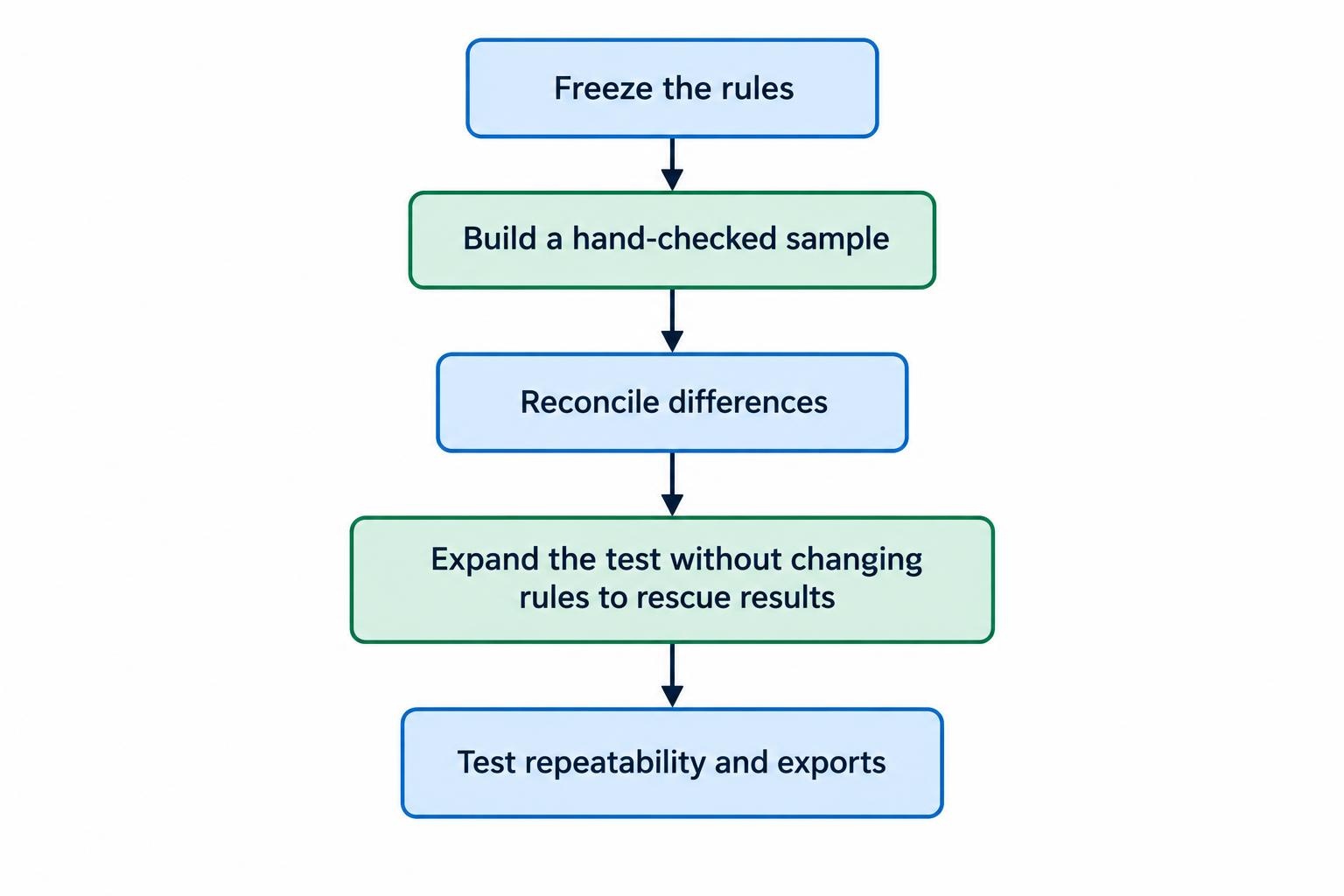
- Freeze the rules. Specify the signal, decision time, order type, exit conditions and position size. Remove discretionary phrases such as “enter near support” unless they have a precise definition.
- Build a hand checked sample. Select a short period containing entries, exits and at least one awkward case. Record expected quantities, prices, costs and account balances.
- Reconcile differences. Compare the software’s orders with the sample. Investigate timing, rounding, price adjustments and capital constraints before accepting unexplained discrepancies.
- Expand the test. Add instruments and market periods without changing the rules to rescue disappointing results. Record every variation rather than keeping only the strongest run.
- Test repeatability and exports. Reopen the project, rerun it and export the records. Confirm that another review can reconstruct the result from the saved files.
Keep development data separate from evaluation data. If you repeatedly adjust the strategy after examining the evaluation period, that period has become part of development. Software should help preserve those boundaries and record the sequence of experiments. More detailed validation procedures belong in overfitting and walk forward testing, rather than another round of parameter hunting.
Read the Report Beyond Net Profit
Choose software that makes it easy to investigate risk, capital usage and the distribution of results. No single metric can establish that a strategy is ready for deployment.
| Report item | Question to ask |
|---|---|
| Net return | Does it include modeled costs, and is it compared with a relevant benchmark over the same dates? |
| Maximum drawdown | Is the decline measured from portfolio equity, including open positions, or only from closed trades? |
| Trade distribution | Do a few unusually profitable trades account for most of the result? |
| Exposure and turnover | How much capital is committed, and how much trading produces the reported return? |
| Period and instrument breakdowns | Does performance depend heavily on one market, instrument or short stretch of history? |
Check calculation settings when comparing reports from different engines. Return sampling, annualization, treatment of idle cash and whether drawdown includes unrealized losses can change the figures. Matching metric names do not guarantee matching calculations.
Win rate also needs context. A strategy can win frequently and still lose money if occasional losses outweigh its smaller gains. Read it alongside average gains, average losses, costs and the number of observations.
Budget for the Full Research Process
Compare the cost of obtaining a trustworthy answer, not just the software licence. Include historical data, computing resources, storage, development time and maintenance. Check the plan or edition that actually supports your required history, exports and testing features before paying.
A sensible shortlist starts with mandatory requirements: suitable data, defensible order handling, shared capital accounting where needed, and inspectable results. Convenience features come after those requirements. Faster testing is useful only when the test represents the strategy you intend to run.
Once historical results survive review, move to paper trading the automated strategy with the rules held fixed. Compare signal timing, orders and account behavior against expectations. Paper trading still cannot establish achievable live execution or future profitability, but it provides another opportunity to find operational mistakes before real capital is exposed.