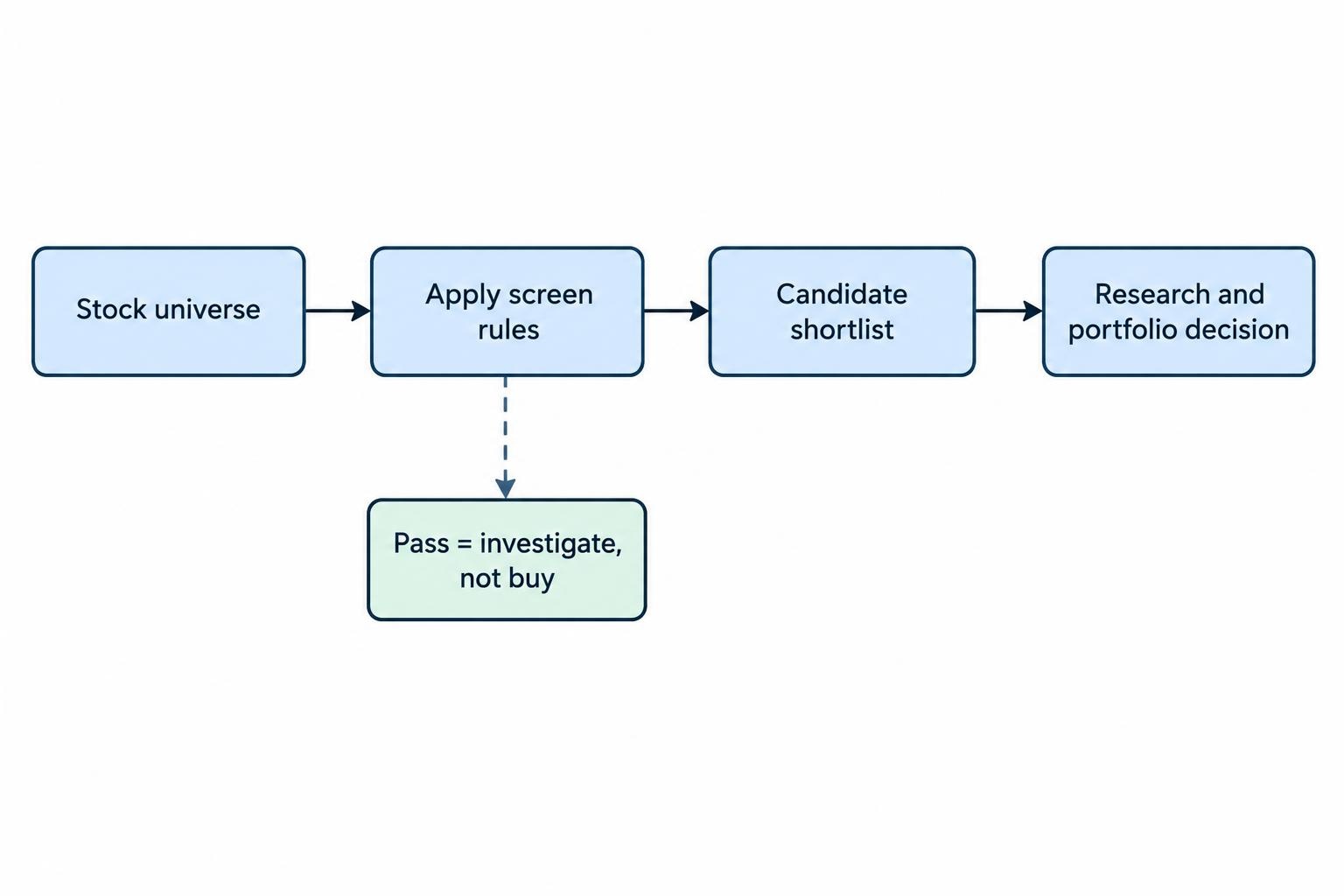
Stock screening software filters a market of listed companies into a manageable research list. You set conditions for valuation, profitability, growth, liquidity or price behavior, and the software returns matching stocks. Its value is consistency: you can apply the same rules without opening hundreds of company reports.
The right screener depends on what you need to find, which markets you follow and how you check the results. A long filter menu is not an investment thesis. Within a broader investing software setup, screening should handle candidate selection, leaving company research and portfolio decisions to the tools built for those jobs.
What Stock Screening Software Does—and Does Not Do
A screener answers a defined question: which stocks in its database meet these conditions? It does not establish whether those conditions are sensible, whether a company’s reported earnings are sustainable or whether its shares suit your portfolio.
Filtering and ranking also serve different purposes. A filter excludes companies that fail a rule, such as positive operating cash flow. Ranking orders the survivors by a measure or combined score. Use filters for genuine requirements, then rankings to decide what deserves attention first. Otherwise, a company just below an arbitrary cutoff disappears before you review it.
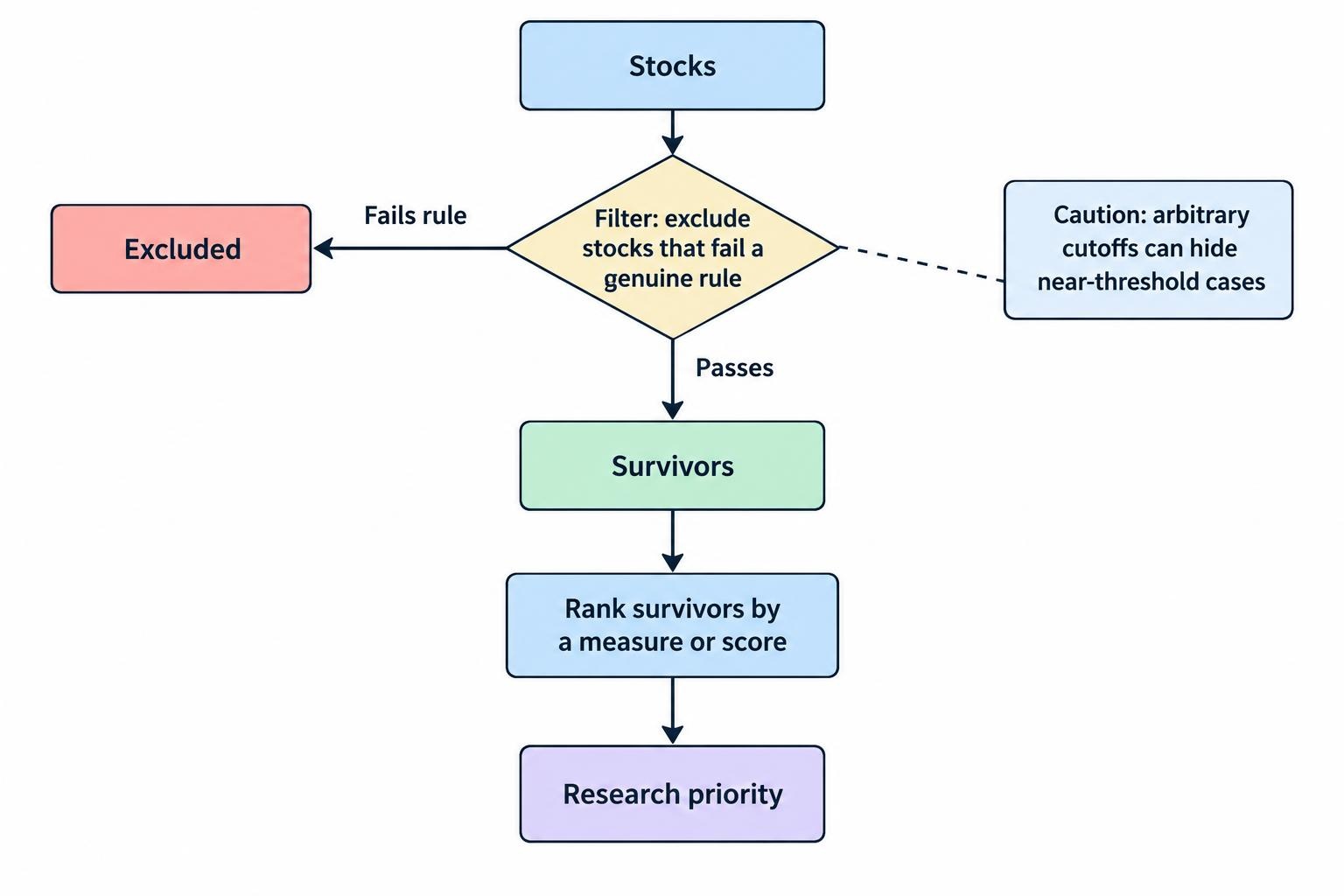
Screening is the start of research, not a substitute for it. Once a candidate passes, fundamental analysis software can help examine its financial statements, operating trends and valuation assumptions. Keep the distinction clear: a passing result means “investigate,” not “buy.”
Features That Matter When Comparing Stock Screeners
Market coverage and security identification
Start with the investment universe: the securities the software actually searches. Check exchanges, countries, share classes and security types before comparing advanced filters. Decide whether your results should include depositary receipts, preferred shares, funds and secondary listings, or only common shares on their primary exchange.
For international screening, TradingView supports selecting individual or multiple markets and provides a primary listing filter. Its global stock screening documentation also flags currency conversion as something to review when switching markets. That matters when comparing monetary fields: revenue in one reporting currency should not be treated as directly comparable with an unconverted figure in another.
During a trial, search for companies you already know across your intended markets. Confirm the exchange, currency and share class. This simple check can expose a coverage mismatch before you spend time rebuilding your research process.
Data definitions, dates and missing values
A financial ratio needs a definition and a reporting period. Trailing earnings, forecast earnings and adjusted earnings are different inputs, even when the resulting columns carry similar labels. Before relying on a filter, check exactly what goes into it.
Look for the latest financial period, the price timestamp and documentation for calculated fields. Ask how the system handles missing data: does a company with no available value fail the rule, remain in the results or receive another treatment? Test this rather than guessing.
Even structured regulatory data needs verification. The SEC’s financial statement dataset notice warns that extraction errors can occur and that its datasets do not replace full company filings. Apply the same discipline to a screener: verify figures that drive your decision against the underlying report.
Filter logic, ranking and reusable screens
Basic thresholds work for straightforward questions. More involved research may require comparisons between fields, several reporting periods or grouped conditions using AND and OR. “Profitable and growing” is not the same instruction as “profitable or growing.” Check that the interface makes the distinction visible.
Stock Rover provides weighted ranking and equation screening that can compare current and historical metrics. Its advanced screener documentation separates these functions and identifies equation screening as a feature of its Premium Plus and Ultimate plans. This makes it a candidate to assess if your process needs relationships between metrics rather than fixed thresholds alone.
Also test saved screens, editable result columns and exports. A useful export should preserve enough context to reconstruct your work: security identifiers, selected metrics, reporting periods and the date you ran the screen.
Choose Filters That Match the Investment Question
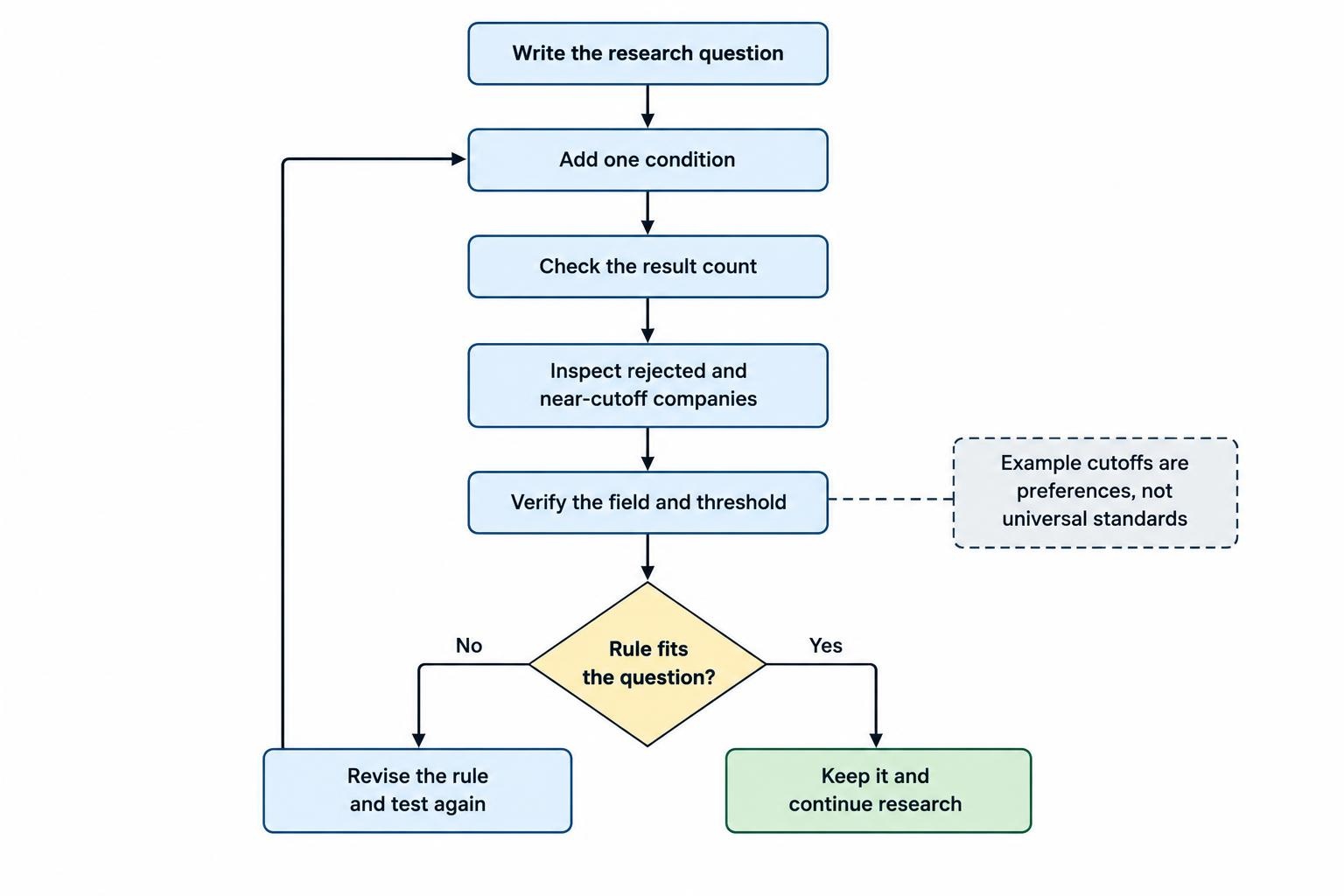
Write the question before opening the filter panel. “Find profitable companies with manageable debt” produces a more coherent process than adding attractive ratios until the result count looks right.
For a valuation screen, separate price from business quality. A low price to earnings ratio identifies a relationship between price and reported earnings; it does not explain whether those earnings can continue. Pair valuation measures with checks on profitability, cash generation and financial obligations, then investigate the survivors.
For growth research, specify the period and starting point. Growth from a very small base can look impressive without producing much revenue. Compare several periods rather than allowing one strong quarter to carry the whole argument.
For income research, distinguish dividend yield from the company’s capacity to keep paying. Treat yield as an initial search field, then examine cash generation, payout commitments and debt obligations.
Keep technical conditions separate from business conditions. A moving average rule can help organize a price based shortlist, but it does not verify accounting quality. Likewise, strong financial statements do not settle the question of entry price.
A Worked Example: Building a Quality Stock Screen
Suppose your research question is: “Which established US operating companies generate cash and report healthy operating profitability?” The following is an illustrative starting screen, not a recommended investment strategy or evidence that the resulting stocks will perform well.
| Field | Example condition | Purpose |
|---|---|---|
| Security universe | US primary listed common shares; exclude financial companies and REITs | Keep the initial comparison focused on operating businesses |
| Market capitalization | Above $1 billion | Set a chosen company size floor |
| Average daily dollar volume | Above $5 million over a defined period | Apply a trading activity requirement |
| Free cash flow | Positive over the trailing 12 months | Identify businesses reporting cash generation after capital spending |
| Operating margin | Above 10% over the trailing 12 months | Apply an initial profitability threshold |
These cutoffs express research preferences, not universal standards. The exclusions keep this example from applying the same operating metrics to businesses with different financial structures. A different investment question would need different rules.
Add one condition at a time and note how the result count changes. If a rule removes nearly every company, inspect the rejected names before relaxing it. The threshold may be too demanding, the field may be missing, or the metric may not mean what you expected.
Be precise about liquidity. A stock trading 500,000 shares daily at $2 represents approximately $1 million in daily dollar volume. The same share volume at $100 represents approximately $50 million. If the software lacks average daily dollar volume, price multiplied by average share volume provides a rough proxy, not the exact historical average.
Finally, inspect companies close to each cutoff. A business with a 9.9% margin should not become analytically invisible because the screen starts at 10%. Use thresholds to manage the workload, then apply judgment.
Free Versus Paid Stock Screening Software
Start by testing whether a basic service can reproduce your intended screen. Do not upgrade simply because a subscription offers more fields. Identify the task you cannot complete, then check whether the paid feature actually solves it.
FINVIZ combines descriptive, fundamental and technical filter groups, making it a candidate for assessing a conventional mixed stock screen. Its screener introduction identifies exports and custom column configurations as Elite features, and distinguishes historical chart data from historical screener data. That distinction deserves attention if you want to study past selections rather than just inspect current candidates.
Use the three products discussed here as starting points for comparison, not a ranking. Assess FINVIZ for a conventional filter based workflow, TradingView when selecting across markets matters, and Stock Rover when your rules require equations or historical metric comparisons. Confirm the relevant access level before subscribing.
Price the complete workflow. Include any required data subscriptions, export access and separate research tools. An inexpensive screener that forces repeated manual cleanup may offer poor value. An expensive one that adds features you never use is still expensive.
Test the Software Before Committing
Run the same written screen in each shortlisted product. Keep the market universe, reporting periods and valuation definitions as close as possible. Differences in results are useful clues, not automatic proof that one provider is wrong.
Inspect a small sample of passing and failing companies. Recalculate a few decisive ratios using the documented method. Check whether an exclusion came from a genuine financial difference, a missing field or a different reporting period. A screener should let you explain why a company appears—or does not.
Test the boring tasks too: save a screen, reopen it, change a column, export the results and inspect the file. Check whether tickers retain exchange information and whether dates, currencies and units remain clear. These details determine whether the software fits a repeatable process.
A standalone research screen should not require brokerage trading permissions. If account connection is optional, leave it disconnected unless it supports a task you need. Evaluate the screening function on its own before expanding access.
Treat Historical Results and Performance Claims Carefully
Access to historical metrics does not, by itself, prove that a platform can recreate what an investor knew on a past date. A period end date and the date its results became public are different things. For a January selection, figures first published in February must not influence the decision.
If a provider offers strategy testing, ask whether the test includes companies that later delisted, uses information available at each selection date and accounts for trading costs. These questions matter more than a smooth return chart.
Backtested returns remain hypothetical rather than actual investment performance. The SEC investor bulletin on performance claims also highlights fees, selective reporting and unsuitable benchmarks as issues to examine. A profitable historical screen is a research result to scrutinize, not a promise.
Avoid repeatedly changing thresholds until the past looks impressive. Record the reasoning for your rules, retain unsuccessful versions and assess the process on later observations without rewriting its history.
Turn the Shortlist Into a Repeatable Research Routine
Save each screen with a descriptive name, its purpose and a version date. Record why each condition exists. Review it on a schedule suited to the inputs rather than rerunning it whenever prices move.
For each candidate, note why it passed, which figures you verified and what remains unresolved. Keep rejected companies too; they help distinguish a weak business from one that simply missed your chosen threshold.
Once a candidate becomes a holding, use portfolio tracking software to monitor the investment in context. A stock can pass every screening rule and still add too much exposure to a sector you already own.
Choose the screener that produces an explainable shortlist with the least unnecessary work. Clear definitions, suitable coverage and repeatable results are worth more than a filter menu you never finish scrolling.