No-code trading strategy builders turn trading rules into conditions you can assemble through menus, forms or connected blocks. They remove much of the programming work, but you still need to define what the strategy should do, test its assumptions and check how orders reach your account.
The most useful starting point is not the largest indicator library. It is whether the software can express your rules precisely and run them through your intended trading setup. Within the broader category of algorithmic trading platforms, a visual builder is one way to create a strategy, not a substitute for the execution platform or its controls.
What Does a No-Code Trading Strategy Builder Actually Build?
Separate three tasks before comparing products: defining rules, testing rules and executing trades. A tool that handles the first task does not necessarily handle the other two.
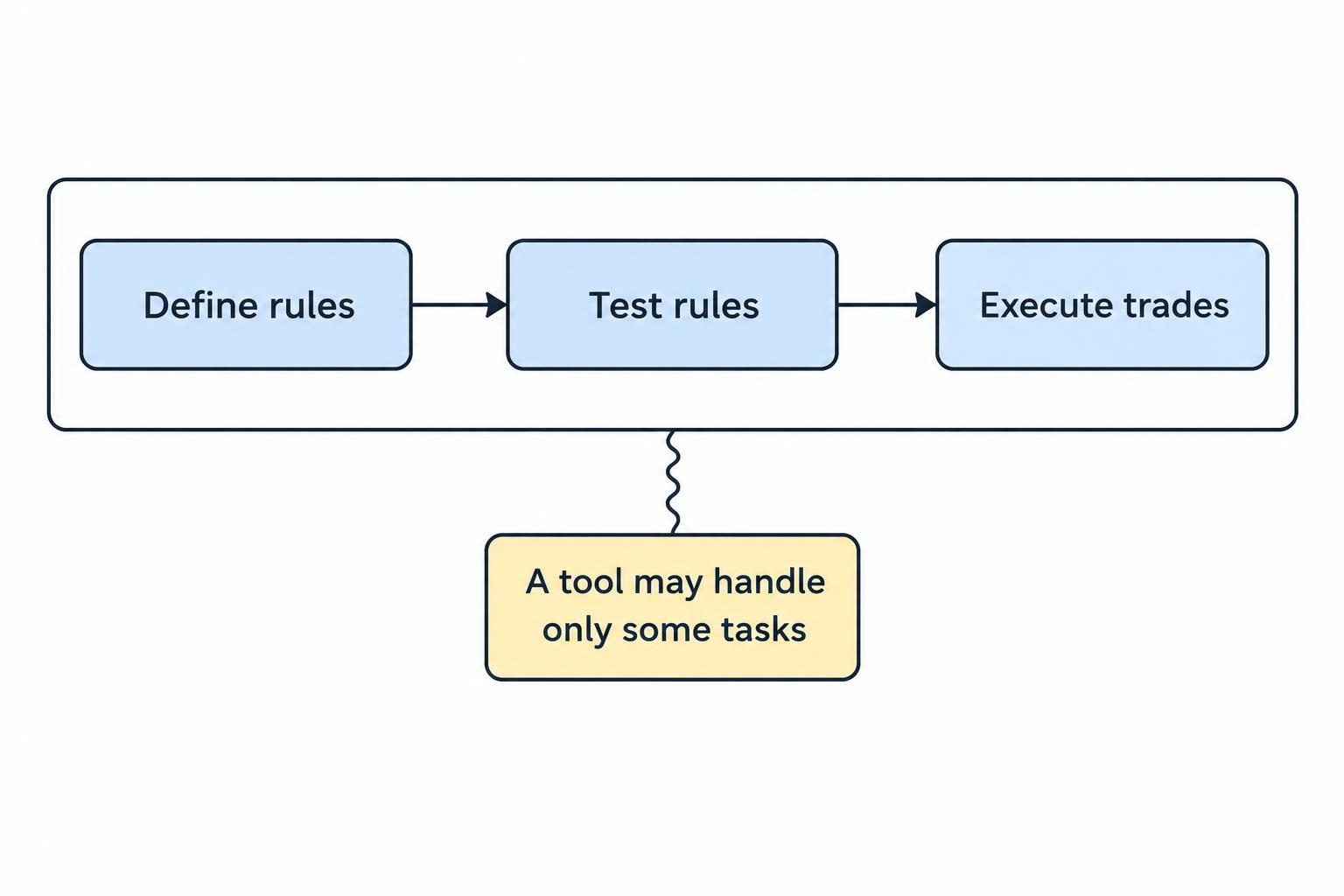
A visual editor lets you connect conditions such as “price closes above a moving average” and “no position is open.” A strategy generator searches combinations of conditions within boundaries you choose. An alert builder monitors conditions and sends a message when they become true. These functions can overlap, but they answer different needs.
The output matters just as much as the interface. Establish whether you receive an editable project, generated source code, an executable trading robot or a strategy that runs only inside the provider’s service. Then identify what must remain running after deployment.
Also distinguish no-code from AI. Selecting conditions from a menu does not require AI. If a product accepts a plain-English instruction, insist on reviewing the resulting rules. “Buy strong momentum” is an idea, not an order instruction.
Write the Strategy Before Opening the Builder
Start with a short written specification. This prevents the available buttons from becoming the strategy itself.
Consider a hypothetical daily breakout system for one chosen ETF. The following settings illustrate the detail a builder should accommodate; they are not recommended trading parameters.
| Decision | Example rule |
|---|---|
| Market and schedule | One ETF, using completed daily bars from the regular trading session. |
| Entry condition | While no position is open, the latest completed close exceeds the highest high of the preceding 20 bars, excluding the signal bar. |
| Entry execution | Submit a market order for the next regular session’s opening, subject to account and order acceptance checks. |
| Position size | Use a fixed test quantity and never add to an existing position. |
| Protective exit | Place a stop order 2% below the actual entry fill, where the execution connection supports it. |
| Signal exit | After a completed close below the 10-period simple moving average, exit at the next regular session opening unless already stopped out. |
Notice the distinction between the signal and the fill. A condition confirmed at the close does not mean you can assume an execution at that same closing price. Nor does requesting an opening order guarantee a fill at the opening print.
Use this specification as a trial task. Check whether the builder can reference earlier bars, exclude the signal bar from its calculation and prevent repeated entries. Ask how it models a stop triggered during the entry candle. Those answers reveal more than a polished demonstration strategy.
Examples of No-Code Trading Strategy Builders
These products illustrate different approaches rather than a ranked shortlist. Choose between them by the workflow you need, then confirm the relevant features in the edition you intend to purchase.
fxDreema: Connected Blocks for MetaTrader Strategies
fxDreema uses graphical blocks with configurable inputs and produces MetaTrader 4 or MetaTrader 5 files, including source-code and executable formats. Its builder feature documentation also lists event handling, trade management and messaging functions.
Consider this approach when you want to express a defined strategy as a visual flow and deploy the resulting robot in MetaTrader. During evaluation, trace the full path from a price update to an order instruction. Check where the strategy verifies existing positions and where it handles an exit. Exporting a file should be the start of deployment testing, not the end.
StrategyQuant X: Strategy Generation and Visual Editing
StrategyQuant X combines automated strategy generation with the no-code AlgoWizard editor. It also offers historical testing, robustness checks and source-code export for supported platforms. These capabilities are listed in the StrategyQuant X feature overview.
This approach is worth evaluating when you want to research combinations of rules as well as assemble an existing idea. Keep those activities separate. For a strategy you already understand, test whether the editor reproduces your specification faithfully. For generated candidates, decide the search boundaries and acceptance criteria before starting. Otherwise, it becomes too easy to keep changing the question until the software produces an attractive answer.
TrendSpider: Visual Strategy Development and Backtesting
TrendSpider’s Strategy Tester provides point-and-click entry, exit and risk conditions, with historical results that include individual trades and performance metrics. Compatible strategies can progress to alerts or Strategy Bots through its strategy development and backtesting workflow.
Consider this model when you want chart analysis and rule testing within the same service. In a trial, inspect the individual trades rather than relying on the summary chart. Confirm that the available history, session settings and cost assumptions fit your intended strategy. Treat live order routing as another evaluation task, even if the interface makes deployment look like one more button.
What to Check Before Paying for a Builder
Compatibility Beyond the Platform Name
Work backwards from the intended account. Verify the instrument, account type, permitted order types, trading session and position-sizing method. A platform integration is useful only if it supports the actions your strategy requires.
Ask where each part runs: the rule engine, connection service and order management process. For an exported robot, establish which terminal must remain active. For a hosted service, establish what happens if the account connection expires. Do not assume that building in a browser means the finished strategy runs independently of your computer.
Regional availability deserves a separate check. Support for a trading platform does not establish whether a connected account or financial product is available where you live.
Full Costs and Exit Options
Price the working setup rather than the editor alone. Check whether your intended configuration requires separate market data, an execution connector, hosting or a higher allowance for active strategies. Confirm what happens when a trial ends or a subscription changes.
Also test how you would leave. Can you export the rules, project, test settings and trade history? Can another person inspect the logic without reconstructing it from screenshots? Portability matters most when you need it urgently, which is a poor time to start asking about file formats.
Test the Logic, Not Just the Equity Curve
Before judging returns, check whether the historical trades match the written rules. Select several entries and exits, including awkward cases, and reconstruct why each occurred. Look for signals that appear before their required data would have been available.
For generated strategies, set aside data that the search process does not use to select candidates. Keep a record of the variations you tried. Repeatedly adjusting the rules after inspecting the reserved period turns that period into more development data. The separate guide to overfitting and walk-forward testing covers that validation process in more detail.
Challenge the assumptions rather than polishing one result. Increase estimated trading costs, vary nearby parameter settings and examine different market periods. Review whether a handful of trades account for most of the profit, and whether the remaining performance still justifies further work.
Keep a reproducible record of the strategy version, data period, session, sizing rules and execution assumptions. If you cannot recreate the result, do not use it as the basis for deployment. A tidy flowchart is not a risk policy.
Treat Live Execution as a Separate System
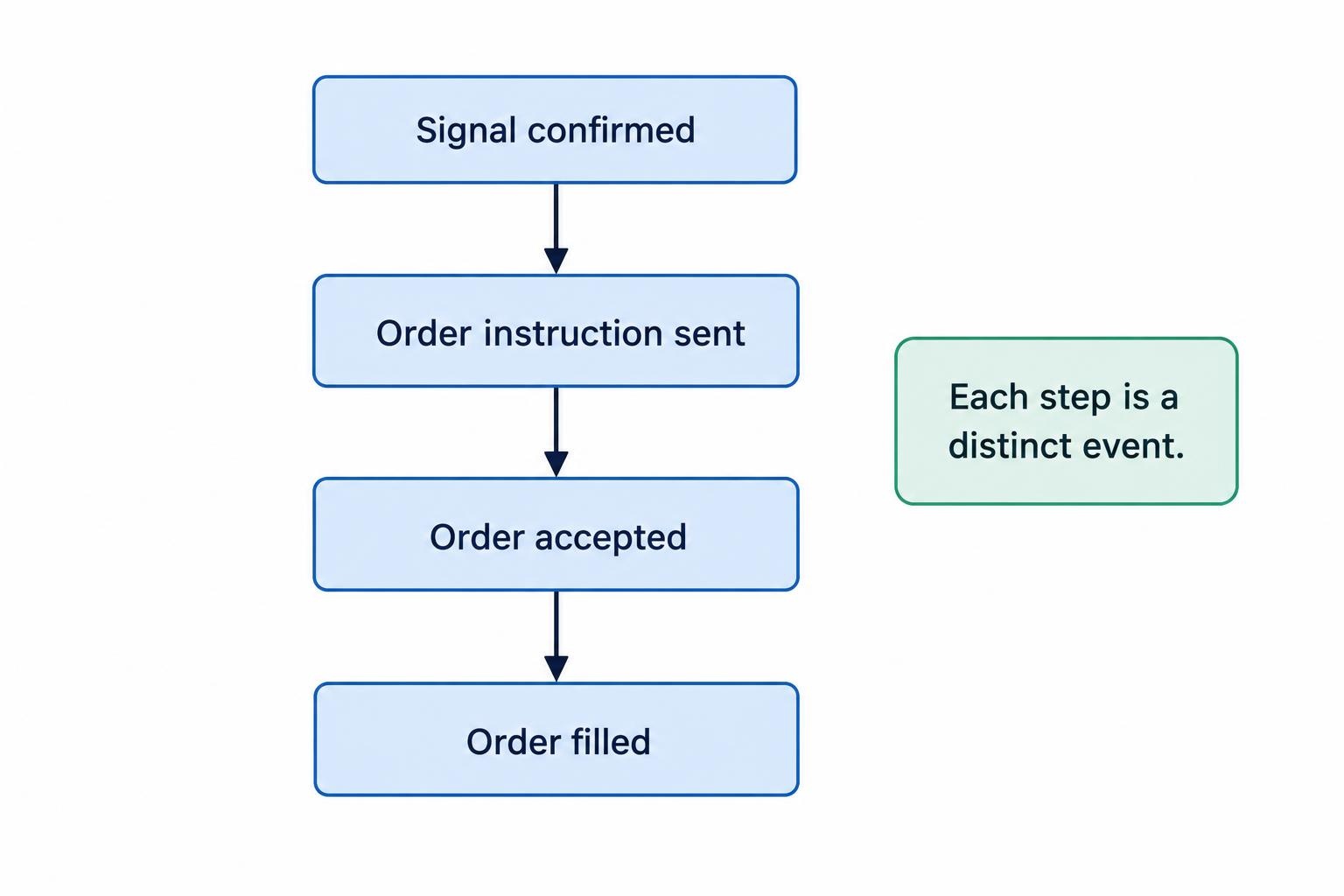
A signal, a delivered instruction, an accepted order and a filled order are different events. During evaluation, ask which of these the builder actually observes. Do not treat a successful message delivery as proof that the intended position exists.
The distinction also applies to stopping automation. TrendSpider’s Strategy Bot configuration documentation includes webhook failure settings and states that stopping a bot leaves existing positions unchanged. A stop control therefore needs a clearly defined meaning: stop signals, prevent new entries, cancel pending orders or close positions.
Before connecting money, write down the expected response to an interrupted connection, rejected order, partial fill and repeated signal. Require a visible warning when the strategy’s assumed position differs from the account. If the software cannot demonstrate these responses in a test environment, reduce its role to notifications until the gap is resolved.
Record where protective orders live, too. Ask whether the stop is an accepted order at the broker or a condition waiting inside the strategy service. Build your procedures around that answer, including what remains active during an outage.
Use a Staged Rollout
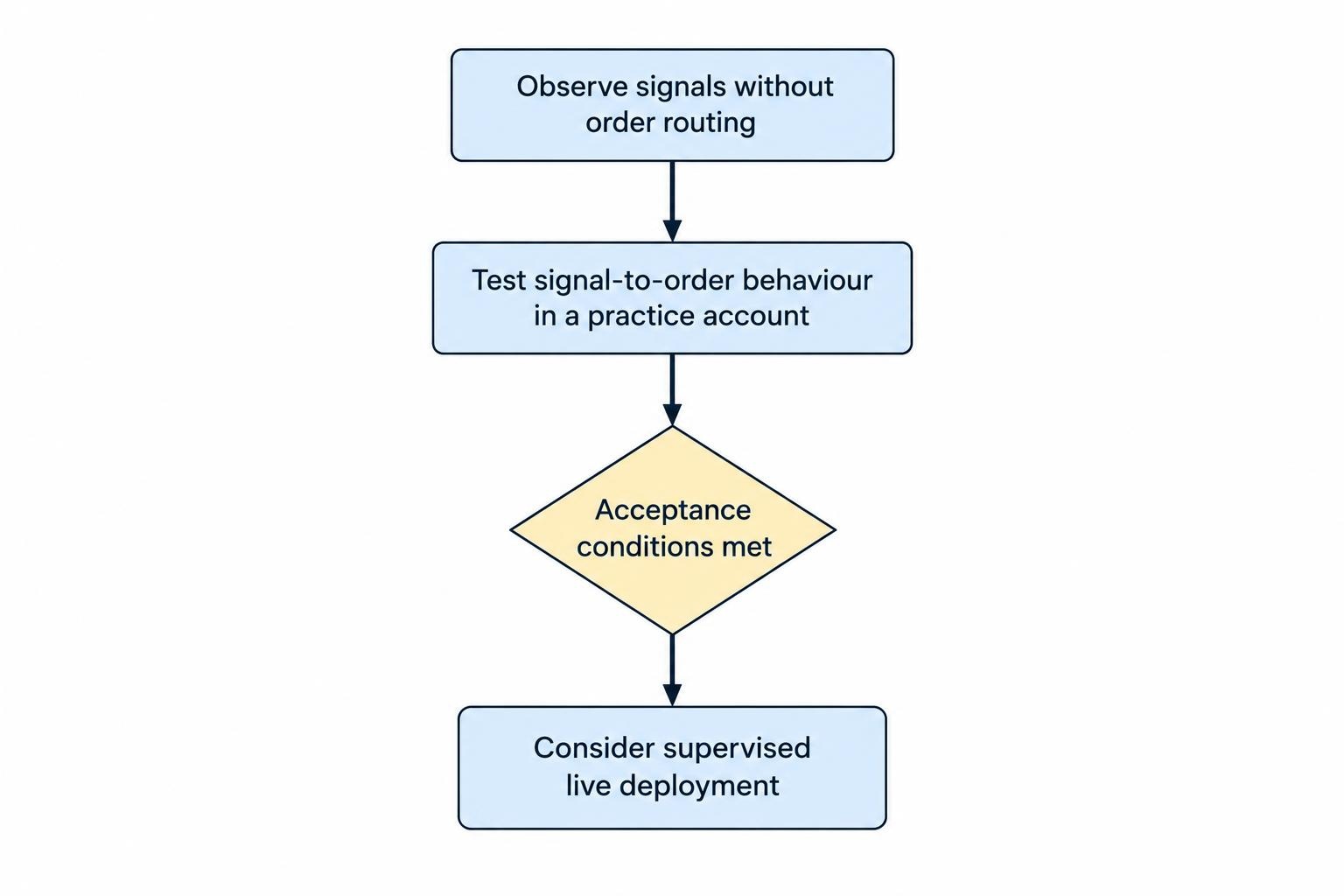
Begin with observation. Run the strategy without order routing and compare its signals against your written specification. Include session openings, market closures and restarts in the checks rather than watching only a convenient stretch of normal trading.
Next, use a supported practice account to test the complete route from signal to order and position update. The purpose of paper trading automated strategies is to check behaviour and operations, not to certify future returns.
Set acceptance conditions before moving further. These might include no unexplained duplicate orders, consistent position records and a demonstrated recovery procedure. Do not use an arbitrary number of profitable practice days as the sole pass mark.
If you later choose to deploy live, begin with exposure you can afford to lose and supervise it closely. Define when to pause the system, who receives alerts and how to manage remaining positions. The broader guide to trading bot monitoring and emergency stops addresses those operating controls.
When No-Code Is the Wrong Fit
Reject a builder if expressing your strategy requires repeated workarounds or leaves important behaviour hidden. Custom data processing, unusual order workflows and strict timing requirements deserve closer technical review. Using a visual interface is worthwhile only when the resulting system remains understandable.
Reject profit guarantees regardless of the interface. AI branding does not change that standard: the CFTC advisory on AI trading bots warns about automated trading promotions promising unreasonable or guaranteed returns.
Choose a builder that makes rules, assumptions and operating status easier to inspect. Before subscribing, require it to build one representative strategy, reproduce an inspectable test and demonstrate its intended execution route. If it cannot pass those checks, a larger template library will not fix the problem.