Asset allocation tools show how your money is divided across stocks, bonds, cash and other investments. Better tools also compare your current holdings with a target mix, expose concentrations hidden inside funds, and let you test how different allocations might behave under stated assumptions.
The useful question is not which application produces the smartest looking chart. It is whether the software helps you make a better allocation decision. That requires complete holdings data, sensible asset categories and calculations you can inspect. A polished dashboard cannot repair a missing account.
What Asset Allocation Tools Should Do
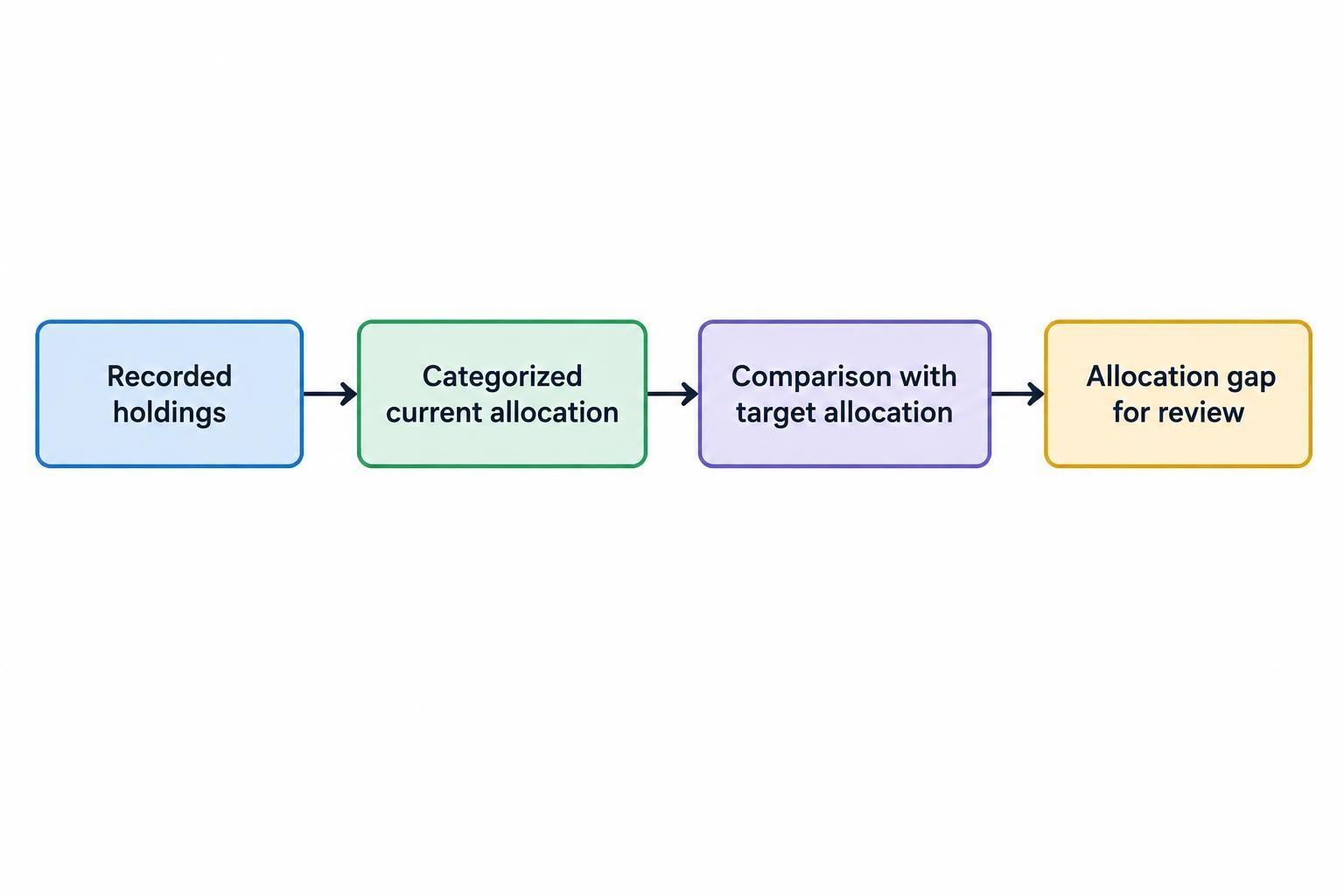
An allocation tool should separate three things: what you own, what you intend to own, and the gap between them. Those are different tasks. Importing investments produces a holdings record; assigning asset categories produces an allocation; comparing that allocation with targets produces a decision aid.
Your target mix should reflect the purpose of the money, when you expect to need it and the losses you can accept. The SEC’s explanation of asset allocation and diversification connects those decisions to investment horizon and risk tolerance. Software should help you examine that relationship, not replace it with an unexplained score.
Look for an output that shows portfolio values, current weights, target weights and differences in both dollars and percentage points. Keep suggested transactions separate from analysis. Being above a target does not, by itself, establish that selling immediately is the right response.
Choose the Right Type of Allocation Tool
Spreadsheets and allocation calculators
A spreadsheet can handle a straightforward portfolio if you maintain the data consistently. Enter each holding’s market value, assign its asset category and calculate its share of the total. Add target weights and the sheet can show where the portfolio differs from your plan.
This approach gives you control over classifications and avoids an account connection. The tradeoff is maintenance: prices, balances and fund allocations need updating. A basic online calculator can suggest or illustrate a mix, but check whether it analyzes your actual holdings or simply creates a model portfolio.
Portfolio analyzers
A portfolio analyzer is worth considering when investments sit across several accounts or include funds with mixed exposures. Evaluate whether it combines those accounts accurately, supports manual entries and lets you correct classifications.
The distinction from portfolio tracking software is the job you need done. Tracking records holdings and changes in value. Allocation analysis examines what those holdings represent and how their weights compare with your intended mix. One application may perform both jobs, but neither feature guarantees the other.
Scenario tools and portfolio optimizers
Scenario tools let you compare allocations under different assumptions. Optimizers go further by calculating weights against an objective, such as reducing estimated volatility or maximizing expected return for a chosen risk level.
Use these tools when you want to compare alternatives and can review their methodology. An optimizer’s answer depends on its inputs and constraints. It is an answer to a mathematical problem, not proof that the resulting portfolio suits your finances.
Set the Inputs Before Reviewing the Output
Start with the investment goal rather than the software’s suggested portfolio. Money reserved for a purchase in three years has a different job from money intended to fund spending several decades away. Separate goals where necessary instead of forcing every account into one target.
Also distinguish your willingness to take risk from your financial ability to absorb losses. You might feel comfortable with market swings but still need money back before a recovery occurs. FINRA’s report on digital investment advice treats risk willingness and risk capacity as separate dimensions of investor profiling.
A useful input record should cover:
- The goal, expected spending date and planned withdrawals.
- The accounts and assets included in the analysis.
- Expected contributions and cash kept outside the investment portfolio.
- Target weights, permitted ranges and any holdings you cannot readily change.
Check whether the tool can handle conflicting answers. Someone who selects “high risk tolerance” but also needs most of the portfolio next year should not receive an aggressive allocation without further questions. A short questionnaire should start a discussion, not end it.
Check What the Software Counts as Stocks, Bonds and Cash
Classification is where an apparently accurate allocation can go wrong. A fund is an investment vehicle, not an asset class. A balanced fund may contain stocks, bonds and cash; assigning its entire value to “mutual funds” tells you little about the portfolio’s underlying exposure.
Look for analysis that splits mixed funds into their underlying asset categories. Check the holdings date too. A current account balance combined with older fund holdings data remains an estimate of today’s exposure.
Test imported data against account statements before accepting the chart. Missing accounts, duplicated positions, unsettled transactions and inconsistent currency conversion can distort the result. The account connection process deserves its own checks; the guide to connecting investing software to brokerage accounts covers that part of the workflow.
Ask how much detail you need beneath the broad categories. Domestic and international stocks may deserve separate targets. For bonds, you may want to distinguish maturity, credit quality or currency exposure. Avoid adding categories simply because the application offers them.
Fund overlap also matters. As a hypothetical example, if two funds each represent 20% of your portfolio and each holds 8% in the same company, their combined contribution to that company’s portfolio weight is 3.2%. Owning two fund names does not remove that shared exposure.
A Worked Asset Allocation Example
Consider a hypothetical $100,000 portfolio. The investor has chosen the following targets for illustration; they are not a recommended allocation.
| Asset category | Current value | Current weight | Target weight | Difference |
|---|---|---|---|---|
| US stocks | $50,000 | 50% | 40% | 10 percentage points above |
| International stocks | $20,000 | 20% | 20% | On target |
| Bonds | $25,000 | 25% | 35% | 10 percentage points below |
| Cash | $5,000 | 5% | 5% | On target |
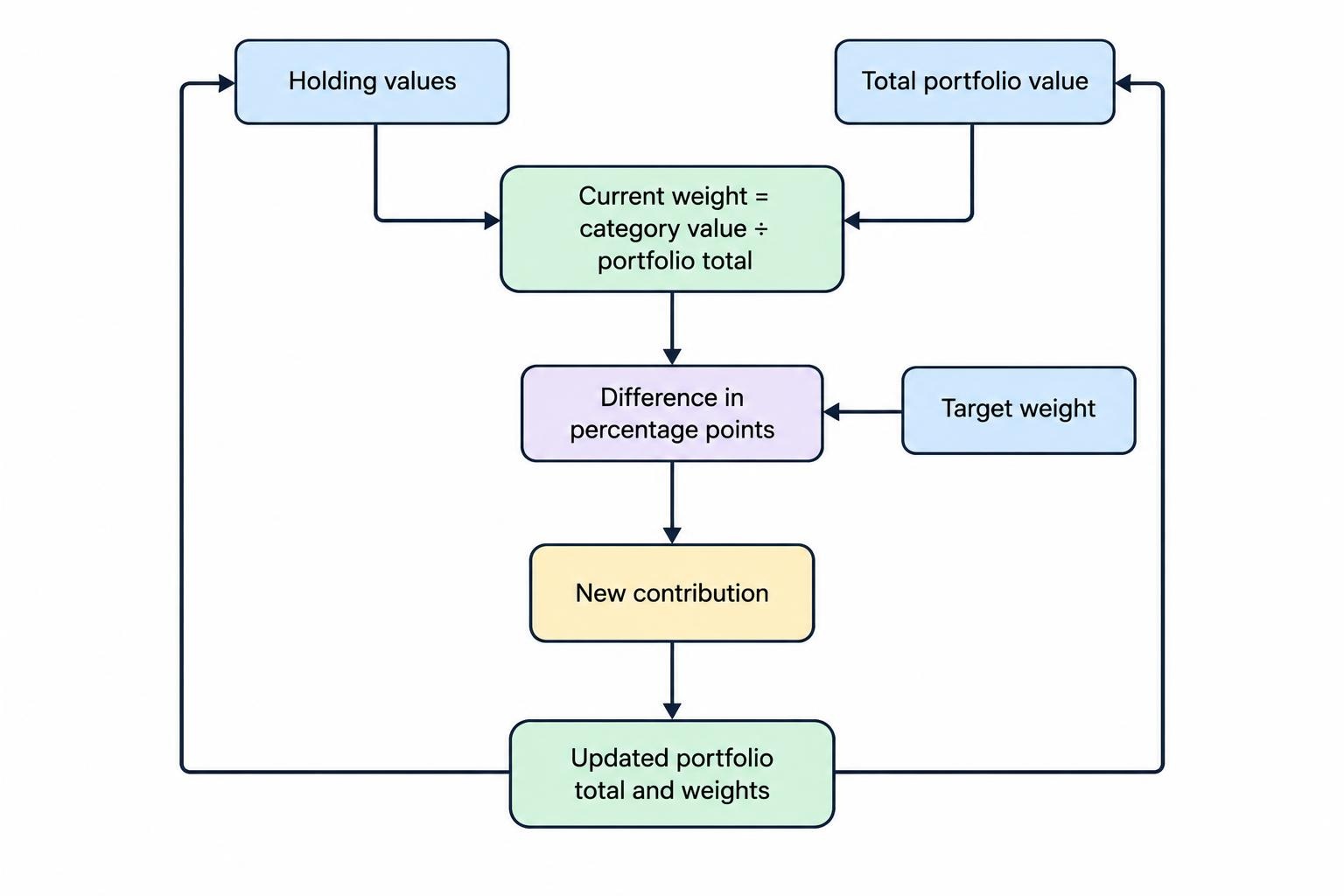
The calculation is straightforward: divide each category’s value by the total portfolio value. The tool should then compare the result with the target. Here, combined stock exposure is 70%, against a 60% target.
Percentage points matter. Moving from a 40% target to a 50% weight is a difference of 10 percentage points, or a 25% increase relative to the target weight. An alert that says only “10% overweight” leaves room for confusion.
Now assume the investor adds $10,000 entirely to bonds. The portfolio becomes $110,000, and combined stock exposure falls to about 63.6%. That moves the portfolio closer to its target without selling stocks, but it does not restore every target weight. A useful tool recalculates the whole portfolio after contributions rather than treating each category independently.
Test Allocations Without Mistaking Models for Forecasts
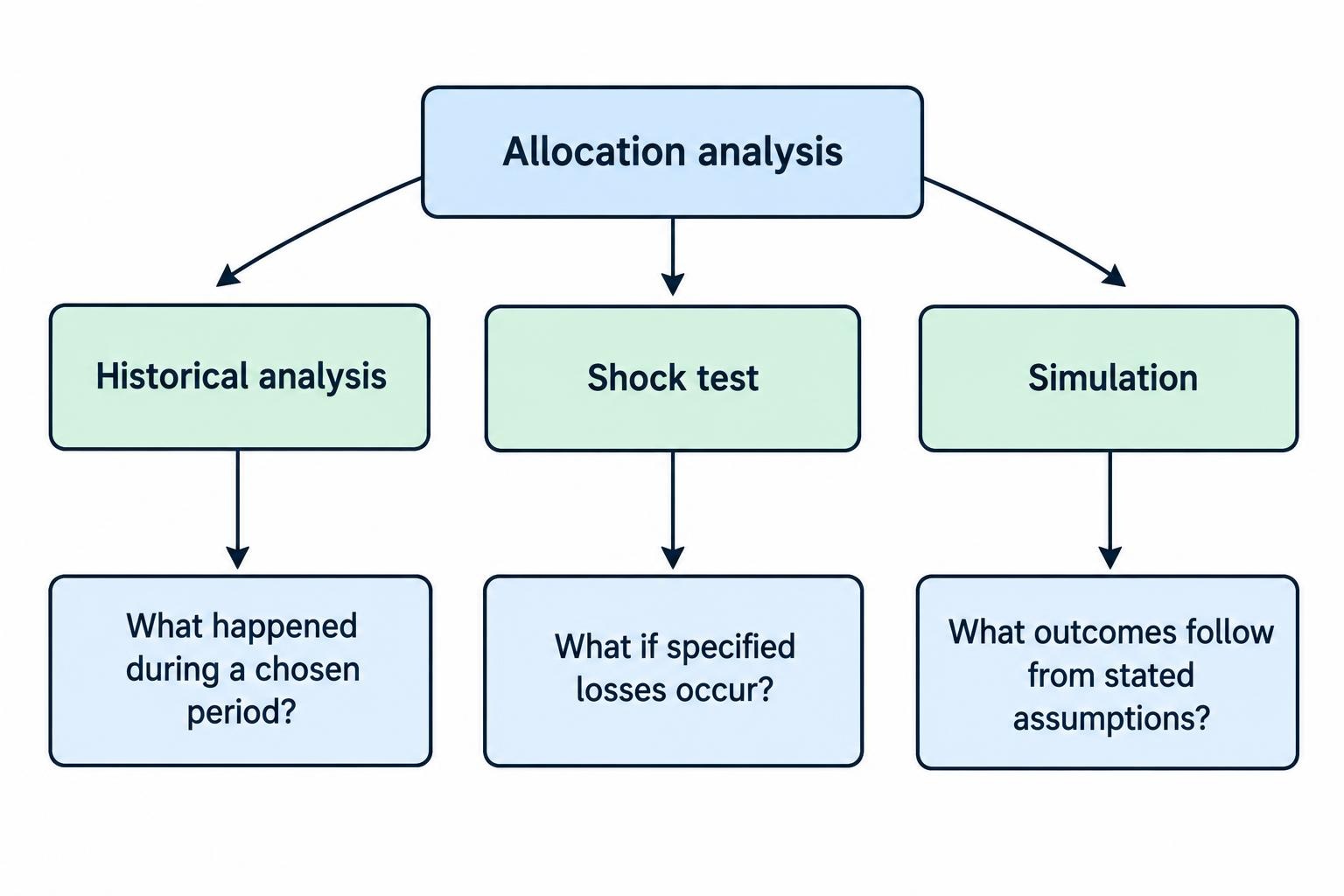
Allocation software can compare historical results, apply hypothetical market shocks or generate simulated future paths. These methods answer different questions. Historical analysis asks what a portfolio would have experienced during a chosen period. A shock test applies losses you specify. A simulation produces outcomes from a set of assumptions.
Inspect those assumptions before interpreting the output. The SEC and FINRA alert on automated investment tools warns that assumptions may be incorrect or unsuitable for an investor’s circumstances. It also notes that some tools consider only a restricted range of investments.
For an optimizer, check the expected returns, estimated volatility and assumptions about how assets move together. Then change the inputs modestly. If a small revision produces a radically different allocation, treat that instability as something to investigate rather than a reason to trade.
For historical comparisons, hold the testing rules constant. Compare the same dates, contribution schedule, treatment of dividends and rebalancing policy. Check whether returns include fund expenses and whether the analysis uses actual fund history or a substitute index. More detailed return comparisons belong in portfolio performance analysis tools, rather than the allocation chart itself.
Translate risk into dollars as well as percentages. Applying a hypothetical 30% loss to stocks and a 10% loss to bonds in the worked example produces a $23,500 portfolio loss, assuming cash is unchanged. That is a stress scenario, not a predicted loss or a worst case. Its value is making the proposed exposure easier to assess.
Compare Software Costs With the Decisions It Supports
Separate the price of the software from the cost of implementing its output. A subscription is one expense. Fund charges, advisory fees and transaction costs may be others. Do not accept a projection that includes only the cheapest part of the arrangement.
Recurring investment expenses also reduce the amount left invested to earn returns, so their effect extends beyond the initial charge. The SEC bulletin on how fees affect investment portfolios illustrates that compounding effect. An allocation tool should make its treatment of expenses visible rather than burying it in an assumptions menu.
Convert subscription prices into an annual amount before comparing them. A hypothetical $20 monthly charge costs $240 a year, equal to 0.48% of a $50,000 portfolio or 0.048% of a $500,000 portfolio. That does not decide whether it offers value, but it gives the price context.
For a separate check on the funds used to implement an allocation, the FINRA Fund Analyzer instructions cover comparisons involving fund costs, share classes and account arrangements. It supports cost analysis; it does not choose your stock and bond targets.
Evaluate Paid Tools With Your Own Portfolio
Use a trial to reproduce a calculation you already understand. Enter a small set of holdings manually, confirm that the totals match, and then test account imports. Change one classification and check that every affected report updates correctly.
Pay attention to practical restrictions: account limits, supported currencies, fund coverage, export options and whether analysis disappears when the subscription ends. Paying for more charts makes little sense if the tool cannot represent an investment that forms a large part of your portfolio.
Review permissions before connecting accounts. For analysis alone, prefer access that reads the required data without authorizing transactions. Check how to revoke access, delete stored information and export your records. A manual import may be sufficient if you review allocations periodically rather than continuously.
Keep asset allocation separate from asset location. Allocation asks what proportion you hold in each asset category. Location asks which account holds each investment. The latter can involve account rules and tax consequences that a basic allocation calculator does not assess. Do not mistake an account level chart for a complete tax analysis.
Turn the Analysis Into a Repeatable Review
Save the target allocation, the reason for choosing it and the date of the review. Keep those decisions separate from market movements. A change in your spending plans may justify revisiting the target; a price change may simply cause holdings to drift away from it.
Once the target is settled, portfolio rebalancing software can help assess how to close the gaps through contributions or proposed trades. That is the implementation stage, not a substitute for deciding what the portfolio should hold.
The strongest allocation tool for your needs is one you can check: complete holdings, sensible classifications, transparent assumptions and clear differences from target. Start there. Add more advanced modeling only when it answers a question your simpler setup cannot.